
Computer Repairs Prices in Sheffield: A Practical 2026 Guide

A typical laptop repair in Sheffield sits between roughly £68 and £78 for straightforward faults, while component-level jobs such as GPU repair, liquid-damage microsoldering or data recovery range much wider. Before agreeing to anything, make sure the quote separates diagnostics, labour, parts and VAT, so you know exactly what you're paying for.
Your laptop has stopped booting on the kitchen table. The charger light is on, the screen stays black, and a workshop has just called with a price that sounds higher than expected. The problem isn't always that the quote is unfair. Often, you haven't been shown what sits behind the total.
UK repair prices are judged against replacement cost, data value and the likely life left in the machine. A clear quote should tell you what failed, what the technician will do, which parts are being fitted, whether your files are protected and what happens if another fault appears.
Table of Contents
What a Computer Repair Quote Really Covers - A useful UK benchmark
The Four Cost Buckets Every Repair Is Built From - Diagnostics come first - Labour reflects skill and risk - Parts decide more than people expect - VAT and timing complete the picture
Common Repair Jobs and Sheffield-Realistic Price Ranges - Straightforward work - Specialist faults
Why the Cheapest Quote Can Cost You More - Three costs cheap quotes often omit
Costs Beyond the Obvious, Consoles, Custom Builds and Data Recovery - Consoles and gaming hardware - Custom builds and upgrades - Data recovery is its own service
What a Computer Repair Quote Really Covers
Your laptop has stopped booting on the kitchen table. The charger light is on, the screen stays black, and the workshop has quoted more than you expected. Before judging the total, ask what sits behind it.
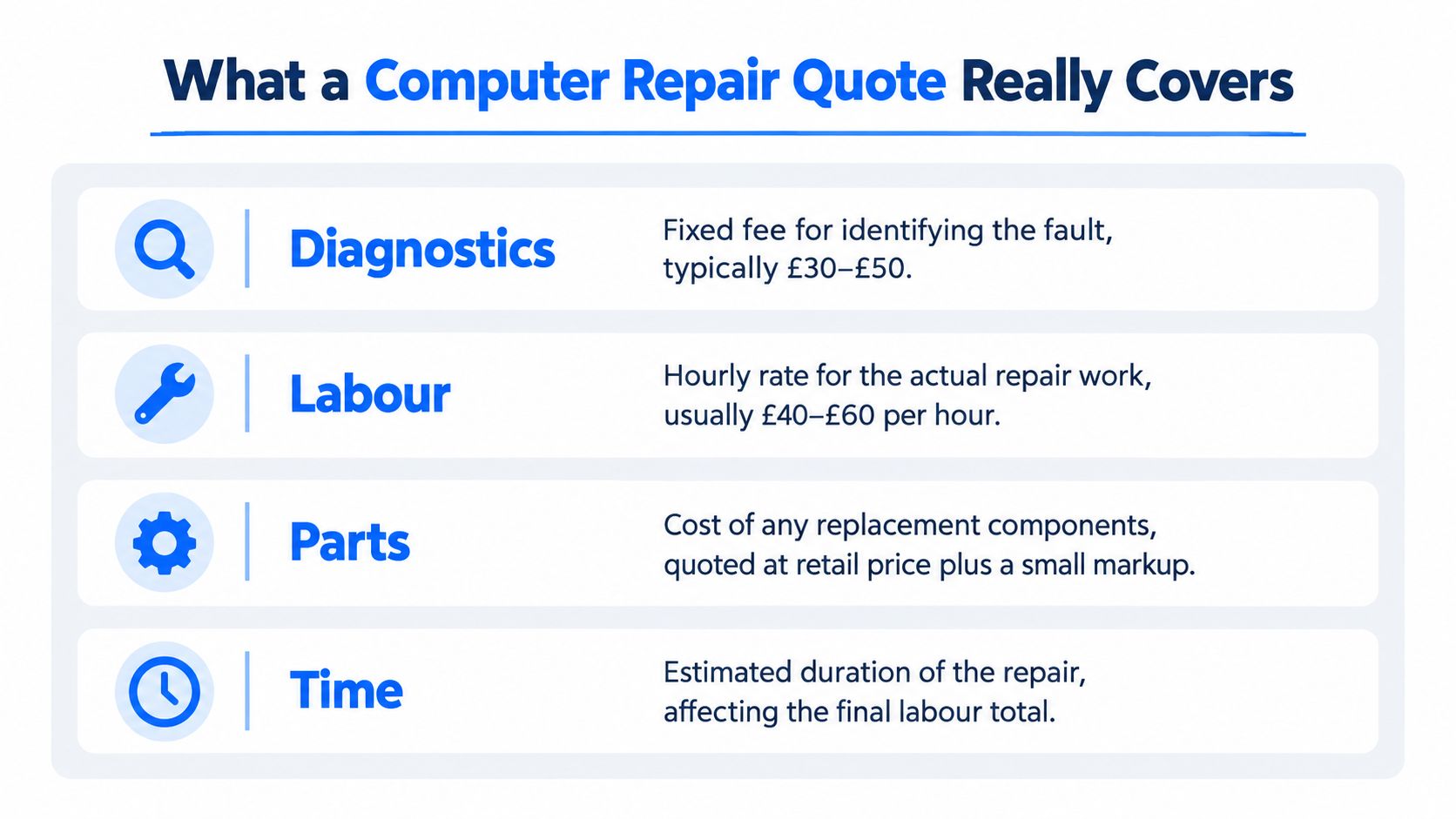
A proper quote separates four costs:
Diagnostics: Identifying the fault and deciding whether repair is practical.
Labour: Removing components, testing circuits, installing software or rebuilding the system.
Parts: The screen, drive, socket, power supply, battery or other replacement component.
VAT: Applicable tax, shown clearly before collection.
A single headline price is convenient, but it should not hide those categories. A laptop that will not start might need only a charger test, or it might require board-level fault finding. The symptom is the same. The work, risk and likely bill are not.
A useful UK benchmark
A Which? survey of 2,000 UK adults, conducted in April 2022, found that laptop repairs typically cost £68 to £78, while motherboard faults could cost substantially more (Which? laptop repair and warranty research). Use that as a guide for ordinary work, not as a fixed Sheffield tariff.
The research also found that extended technology warranties averaged £84.80 per year, with customers buying them for just over two years on average. That produces an approximate total outlay of £169.60. One straightforward repair can therefore cost less than a year of warranty payments.
Repair or warranty item | Cost range | Important context |
|---|---|---|
Typical laptop repair | £68 to £78 | General benchmark, not a specialist repair tariff |
Extended warranty | £84.80 per year on average | Based on the Which? survey |
Typical warranty outlay | Approximately £169.60 | Based on average annual cost and buying period |
Motherboard, GPU or liquid-damage work | Wider range | Complexity, parts and labour can materially increase the bill |
A diagnostic fee can save money by stopping you authorising the wrong repair. Testing may reveal that a failing drive needs data protection first, or that a replacement motherboard would make the computer poor value. Ask whether diagnosis is fixed-price, whether it comes off the repair bill, and whether you receive a written estimate. Steel City IT explains the role of a professional diagnostics service.
Keep one-off repairs separate from recurring technology expenses. If you are also comparing connected-device protection, review the cost of DNS content filtering as an ongoing security subscription rather than part of the hardware repair quote.
The Four Cost Buckets Every Repair Is Built From
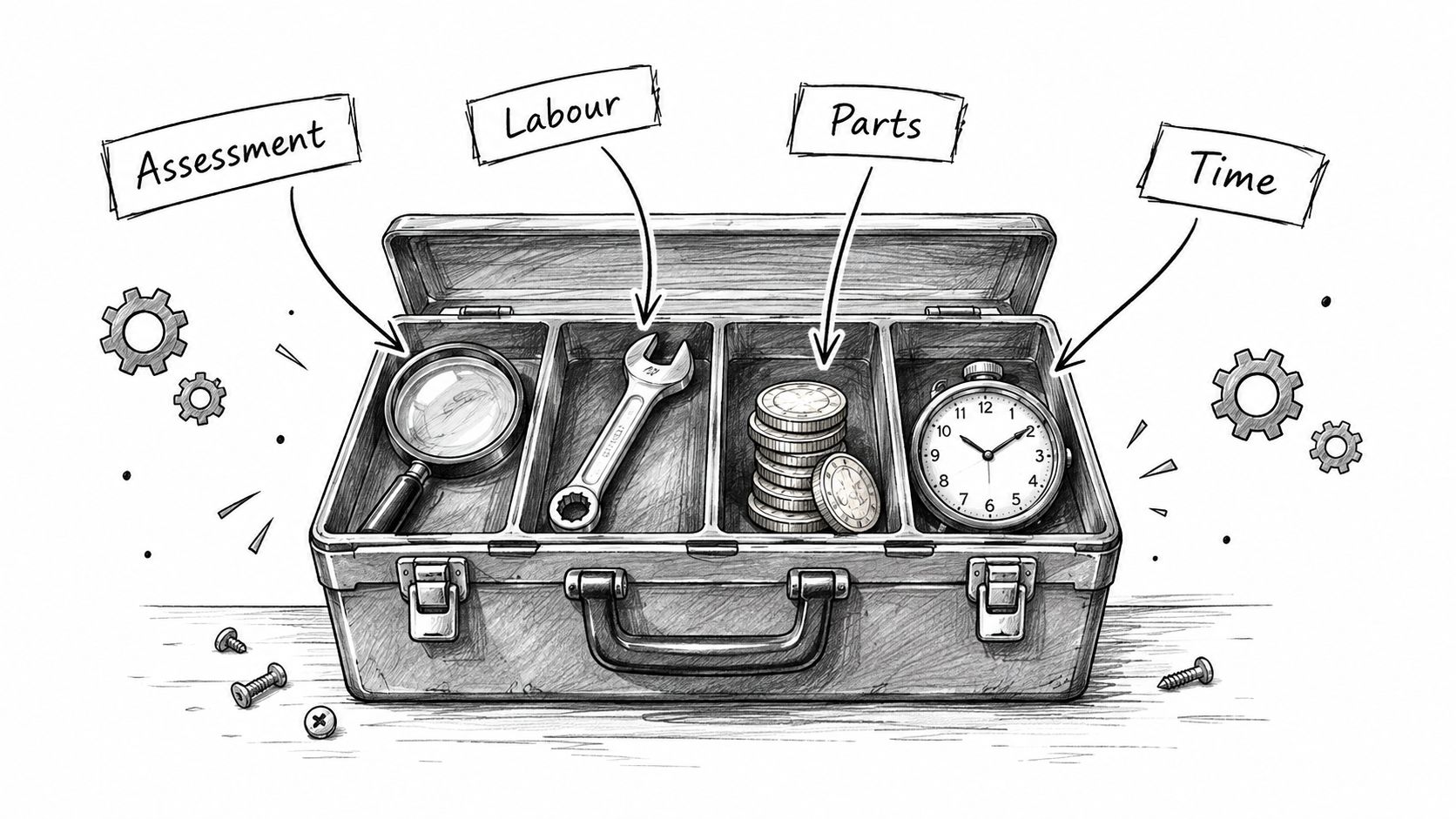
Think of a computer repair quote like a kitchen renovation. The surveyor identifies the problem, the tradesperson supplies the skilled work, the materials make up the physical repair, and tax is added to the bill. A computer repair follows the same logic.
Diagnostics come first
Diagnostics answer a specific question: what has failed, and can it be repaired sensibly? A technician may test the charger, battery, display, storage, memory, power rails or operating system. Board-level work can involve microscope inspection and component testing rather than swapping a visible part.
Ask whether the diagnostic charge is fixed, whether it is deducted from the repair, and whether you'll receive a written estimate before work starts. A vague “we'll see what we find” is not a price.
Labour reflects skill and risk
Replacing a desktop power supply is usually more predictable than opening a thin laptop with glued components. Labour rises when the job involves disassembly, data migration, BIOS configuration, corrosion inspection, micro-soldering or repeated testing.
That doesn't mean a high labour line is automatically fair. It means you should ask what work it covers and how the technician calculated the time.
Parts decide more than people expect
A screen, SSD or power socket can vary by model, specification and source. Genuine and compatible parts aren't interchangeable in every situation, and the cheapest component may have a shorter life or poorer fit.
If you're comparing quotes for a website or other technical service, the same principle applies. A guide to UK web design quotes is useful because it separates deliverables and implementation work rather than treating every project as one unexplained total.
VAT and timing complete the picture
A quote should state whether VAT is included. It should also give an estimated duration, because a part that arrives quickly may still require testing, curing time, data copying or stress checks before the computer is ready.
Practical rule: If a quote doesn't identify the diagnosis, labour, parts, VAT position and expected time, ask for those details before authorising work.
Common Repair Jobs and Sheffield-Realistic Price Ranges
A Sheffield customer comparing quotes needs more than a wide total. Separate the likely cost of the fault, the work required, the replacement part and VAT before deciding whether the repair makes sense. The UK figures below come from a Which? survey of 10 Trusted Traders. They generally include labour and materials but exclude VAT, so use them as a comparison point rather than a fixed local tariff (Which? computer repair price ranges).
Repair job | Indicative price range | Main cost driver |
|---|---|---|
15.6-inch laptop screen replacement | £50 to £300 | Panel specification, construction and parts source |
Laptop power socket replacement | £45 to £210 | Access, socket design and board damage |
500 to 600 W desktop PSU replacement | £50 to £150 | PSU quality, cable layout and installation |
500 GB hard-drive replacement with software and data transfer | £85 to £250 | Drive type, migration and system configuration |
Motherboard replacement | £75 to £300 | Board availability, model and fitting complexity |
General performance servicing | £40 to £120 | Software state, cleaning and testing time |
Straightforward work
A desktop PSU replacement or routine performance service is usually easier to quote because the task and installation steps are fairly clear. A laptop screen can produce a much wider bill if it includes touch functionality, a display built into the lid or extensive disassembly.
Storage work needs a precise description. “Drive replacement” might mean fitting the new drive only, or it might include reinstalling Windows, moving files, configuring drivers and checking whether the old drive is failing. Ask for those items separately, especially if the computer contains work, family or financial records.
Specialist faults
Motherboard replacement often sits near the top of ordinary repair pricing. The exact board may be difficult to source, tied to the computer's specification or costly compared with the machine's remaining value. Component-level repair can avoid a full board replacement, but it needs more investigation and has no guaranteed outcome.
Liquid damage, GPU faults and data recovery require a different conversation. Corrosion may need tracing, a failed component may need isolating, and damaged storage may require specialist handling. Get the likely outcome in writing, such as repair, partial recovery or no recovery, rather than judging the job on its headline price alone.
A 2025 NIM survey of 14,000 consumers, including 2,000 UK respondents, found that a lower repair cost than replacement was the main reason people chose repair. Around 60% said repair needed to be available at a reasonable cost, commonly understood as 15% to 20% of a new model's price (NIM repair behaviour survey). For a £1,000 computer, that gives a reference point of roughly £150 to £200. Treat it as a value check, not a limit for specialist work.
Why the Cheapest Quote Can Cost You More
A low headline price can leave out the work that prevents a bigger bill later.
Suppose one workshop offers a cheap SSD installation without cloning, file checks or a written warranty. Another includes a genuine drive, full data migration, health testing and clear aftercare. The second quote may offer better value before you even price the files you could lose or the cost of paying for installation again.
Three costs cheap quotes often omit
Data loss carries the highest risk. Replacing a failing hard drive without preserving its contents can turn a routine upgrade into separate recovery work. A computer that still starts may hold files that were never backed up correctly, and a clean installation can erase them. Ask whether cloning or migration is included, and how the workshop will handle unreadable files.
Poor parts create repeat bills. Counterfeit storage, weak power supplies and low-quality batteries may work initially, then fail early or damage other components. For parts that affect reliability, ask for the manufacturer and exact part number. A vague description such as “compatible replacement” does not give you enough information.
Missing warranty cover can mean paying twice. Confirm whether the warranty covers the part, the labour or both. Also ask whether it applies if the same symptom returns after the repair.
UK repair-behaviour research published in Frontiers in Sustainability recorded 5,958 survey responses and 473 detailed repair logs collected between January 2022 and September 2024. The research identified repair cost and uncertainty about labour costs as major barriers (Big Repair Project research). That reflects a common counter problem: you cannot judge a cheap quote properly until you know what happens if the first fix fails.
Ask three questions before comparing totals: What is included, what could go wrong, and what happens if it does?
A dramatically cheaper quote may exclude data migration, testing, VAT or post-repair support. A higher quote should explain each extra charge in plain English. If the explanation remains vague, do not authorise the work. in Sheffield, a clear quote is often worth more than the lowest number on the page.
Repair Versus Replace, A Decision Framework
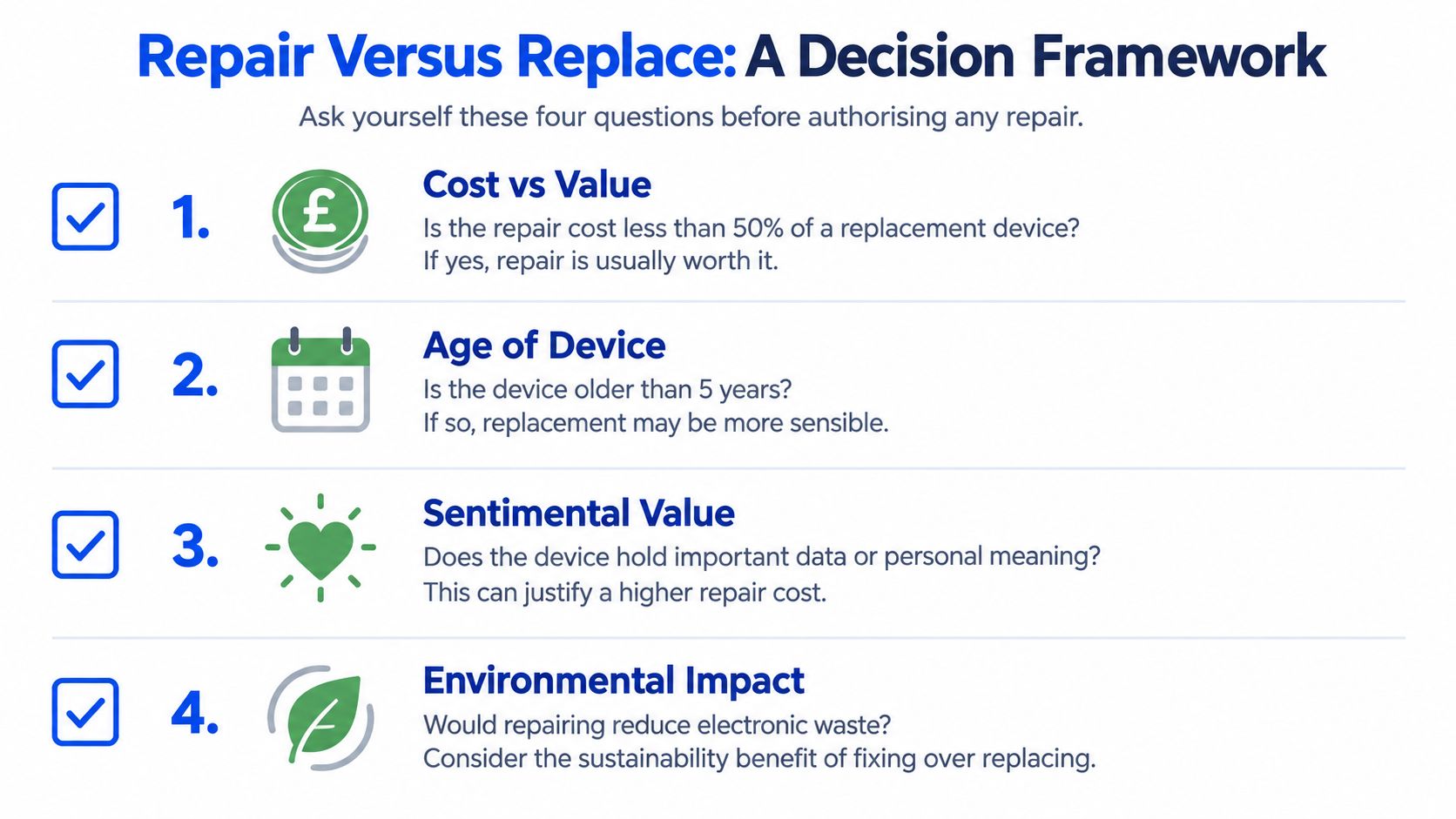
A repair quote only makes sense beside the cost of a suitable replacement. Use four tests before you approve the work:
What would a like-for-like replacement cost? Compare the repair with the machine you would buy, not the cheapest product in a search result.
How old is the device? Age affects battery health, operating-system support, ports, hinges, cooling and the chance of another fault.
How valuable is the data? A device may offer poor financial value while still being worth saving if it holds business records, family photographs or irreplaceable projects.
What useful life remains after repair? Fixing one fault does not renew every other component.
The replacement comparison matters more than a universal price list. Research cited earlier found that consumers often view 15% to 20% of a new model's price as a reasonable repair benchmark. Use that range as a guide, not an automatic cut-off.
For a £1,000 PC, the reference range is roughly £150 to £200. A quality SSD upgrade, cooling repair or targeted power fault can make sense within that range when the processor, memory and case still suit your needs. A major board repair above it needs a clear reason, such as specialist hardware, a valuable configuration or data that must remain on the original system.
For a £600 laptop, the same benchmark gives roughly £90 to £120. A modest storage or charging repair may be sensible. A screen, motherboard or liquid-damage quote above that range deserves comparison with a replacement laptop and the cost of moving your files.
Ask the workshop what the quote promises. Is it for diagnosis, an attempted repair, a guaranteed result, or a replacement part with a defined warranty? The distinction matters much like a rental versus one-time license choice depends on total cost and expected use, not only the first payment.
For a local comparison point, Sheffield computer shops can help you check available services before committing to specialist repair work. A clear explanation of the likely result is worth more than a low figure with no defined outcome.
Costs Beyond the Obvious, Consoles, Custom Builds and Data Recovery
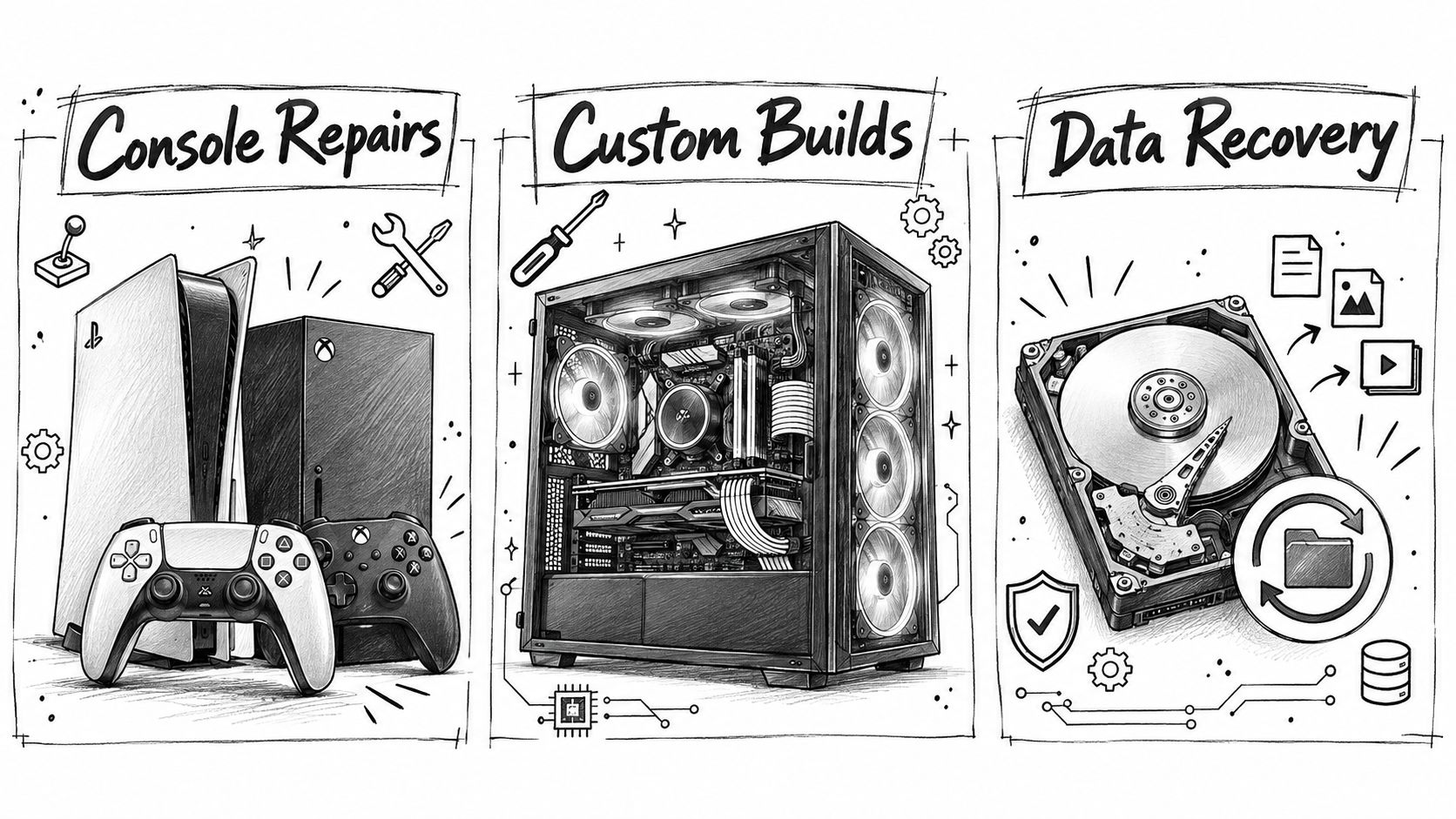
A console that powers on without displaying an image, or a desktop that crashes only during gaming, needs more than a quick price-table diagnosis. Sheffield customers often bring faults that require specialist testing before anyone can quote responsibly.
Consoles and gaming hardware
An Xbox, PlayStation or Nintendo Switch may need HDMI-port work, charging repair, overheating treatment or board-level diagnosis. No picture does not automatically mean a display fault. The problem may be the port, protection components, display circuitry or motherboard, and each route carries different labour, parts and success risks.
Gaming PCs need testing under load. GPU artefacts, unstable VRAM, overheating and power faults can appear only after the system reaches operating temperature. Component-level GPU repair may preserve an expensive graphics card, but the quote should state whether the work is exploratory, what result is expected and whether a defined repair warranty applies.
Custom builds and upgrades
A custom PC build covers more than the processor and graphics card. The technician must select compatible parts, assemble the system, route cables, configure firmware, install drivers, then test temperatures and stability. Paying slightly more for a balanced build can prevent mismatched power delivery, poor cooling and wasted performance.
Storage upgrades need a clear data plan. Ask whether the old drive will be cloned, whether the replacement system boots, whether key applications are checked and whether the original drive is returned. Steel City IT provides computer and console diagnostics, board-level repair, storage upgrades, data recovery and custom PC building from its Sheffield workshop.
Data recovery is its own service
Deleted files, corrupted file systems and physically failing drives require different recovery methods. If a drive is clicking, stop using it. Repeated restarts can worsen physical damage and reduce the chance of recovering files.
Repair demand remains strong. A survey of 2,000 UK consumers found 81% agreed that broken devices should be easier to revive, while 51% said a repairability label would help them choose a product. Those figures matter only when a workshop explains the likely lifespan, recovery risk and data-handling process clearly.
For storage-specific guidance, read this resource on SSD data recovery. Ask for a separate recovery assessment rather than allowing data work to appear as an unexplained add-on to a general repair quote.
How to Avoid Surprise Fees at the Counter
Before handing over your laptop, write down the symptom and ask for the quote in writing. “It won't turn on” isn't enough detail on its own. Note whether fans spin, lights appear, an external monitor works, the failure began after a spill or update, and whether unusual noises come from the drive.
Then ask these questions:
Diagnostic charge: Is it fixed, and is it deducted if you approve the repair?
Total price: Does the estimate include parts, labour, VAT, data migration and testing?
Parts policy: Is the component new, genuine, manufacturer-approved or compatible?
Second faults: Will the workshop contact you before exceeding the agreed amount?
Data protection: Will files be copied, preserved or erased during the process?
Warranty: How long is the cover, and does it include labour as well as the part?
Unsuccessful repair: What do you pay if the fault can't be fixed?
Watch for vague lines such as “service charge”, “computer work” or “upgrade package”. Those labels don't tell you what happened to the machine. You should also challenge automatic extras, including operating-system reinstalls, antivirus subscriptions, premium cables or data transfer that you didn't request.
Before you sign: Get the maximum authorised spend written down, along with the action the workshop must take before exceeding it.
A responsible technician will welcome these questions. They show that you care about your data and want to make an informed choice. If the answers change when you ask about VAT, part quality or warranty terms, slow the process down.
Key Takeaways and Sheffield Repair FAQs
A sound Sheffield repair quote should let you see where the money goes and whether repair beats replacement.
Check the four cost lines: diagnostics, labour, parts and VAT.
Use price benchmarks carefully: ordinary laptop repairs may sit around the UK £68 to £78 range, while specialist faults are far less predictable (Which? pricing benchmark).
Compare repair with replacement: consider the computer's age, remaining life and the value of its data.
Separate data services: data recovery and data migration are different jobs with different risks.
Set an approval limit: never authorise open-ended work.
Common questions
How long will a repair take? Simple jobs can be quick. Parts orders, board faults, data recovery and testing take longer, so ask for a realistic estimate rather than assuming same-day service.
Is an older computer worth repairing? An upgrade can extend its useful life when it fixes a clear bottleneck. Several failing components usually make replacement the better choice.
How can I check whether a part is genuine? Ask for the manufacturer, model or part number. Confirm whether the warranty covers the component and whether any compatible alternative is being offered.
What should I do after spilling liquid on a laptop? Switch it off, unplug it and do not charge it. Stop testing it, then arrange an assessment before drying or restarting it.
Steel City IT provides Sheffield diagnostics, computer and laptop repairs, console repairs, upgrades, data recovery and custom PC builds. For an itemised assessment, visit Steel City IT and submit the device details or contact the Frecheville workshop.