
HDMI Not Working on Xbox: How to Fix

You switch on the Xbox, the fans start spinning, and the TV still says “No signal”. You try the remote, change inputs, and perhaps restart everything twice, but the screen remains black while the console appears to be running normally.
That symptom doesn't automatically mean the Xbox is dead. In the UK repair market, HDMI faults are widely treated as physical connector failures, not software faults. One UK repair specialist describes the HDMI port as the most common Xbox failure it sees and says it is “nearly always mechanical” (UK Xbox HDMI port repair guidance). The practical distinction is important. A cable or display handshake problem may cost nothing to resolve, while a loose socket, lifted motherboard pad, damaged trace, or failed HDMI retimer requires careful board-level work.
Table of Contents
Isolating the Fault with Cables and Displays - Follow the signal path
Forcing Display Handshakes and Soft Resets - Start the Xbox in low-resolution mode
Identifying Physical Port and Board Damage - The socket isn't the whole HDMI circuit
Understanding UK Repair Costs and Turnaround - Compare the quote with the diagnosis
Choosing a Local Specialist for Micro-Soldering - What good workmanship looks like
Why Your Xbox Suddenly Shows No Signal
A typical workshop job begins after the Xbox has been moved, the HDMI cable has been caught by a foot, or the console has been knocked while the cable remained connected. The Xbox powers on, the fan sounds normal, and the television stays black. Audio may still work, so the failure is easy to misread as a dead console.
HDMI carries picture and sound through a small, mechanically vulnerable socket. Repeated insertion, rough handling, or pulling the console over with the cable attached can bend contacts or tear the socket from the motherboard. UK repair providers identify these actions as recurring causes of Xbox HDMI damage (common Xbox HDMI failure causes).
Practical rule: If the Xbox powers on while the television reports no signal, check the video path before treating the console as a total system failure.
The symptom pattern gives useful direction. A television showing the selected input but reporting no signal is not receiving a usable HDMI output. If the Xbox responds to the controller, produces sound, or appears to boot normally, its main systems may still be working while the display output has failed. UK repair pages describe fans spinning or audio working without a picture as patterns associated with damaged HDMI sockets or nearby board faults (UK Xbox repair fault patterns).
The physical condition of the socket matters, but appearance alone cannot clear it. A connector can look intact while slight movement breaks a signal line or a solder joint no longer makes reliable contact. A loose socket, lifted motherboard pad, damaged trace, or failed HDMI retimer moves the repair beyond a cable replacement and into board-level micro-soldering.
Software can produce a similar black-screen symptom, especially after changing the television or other display equipment. Start with external checks and the console's display reset options. If those tests do not restore output, stop forcing the plug and arrange inspection before further mechanical damage occurs.
Isolating the Fault with Cables and Displays
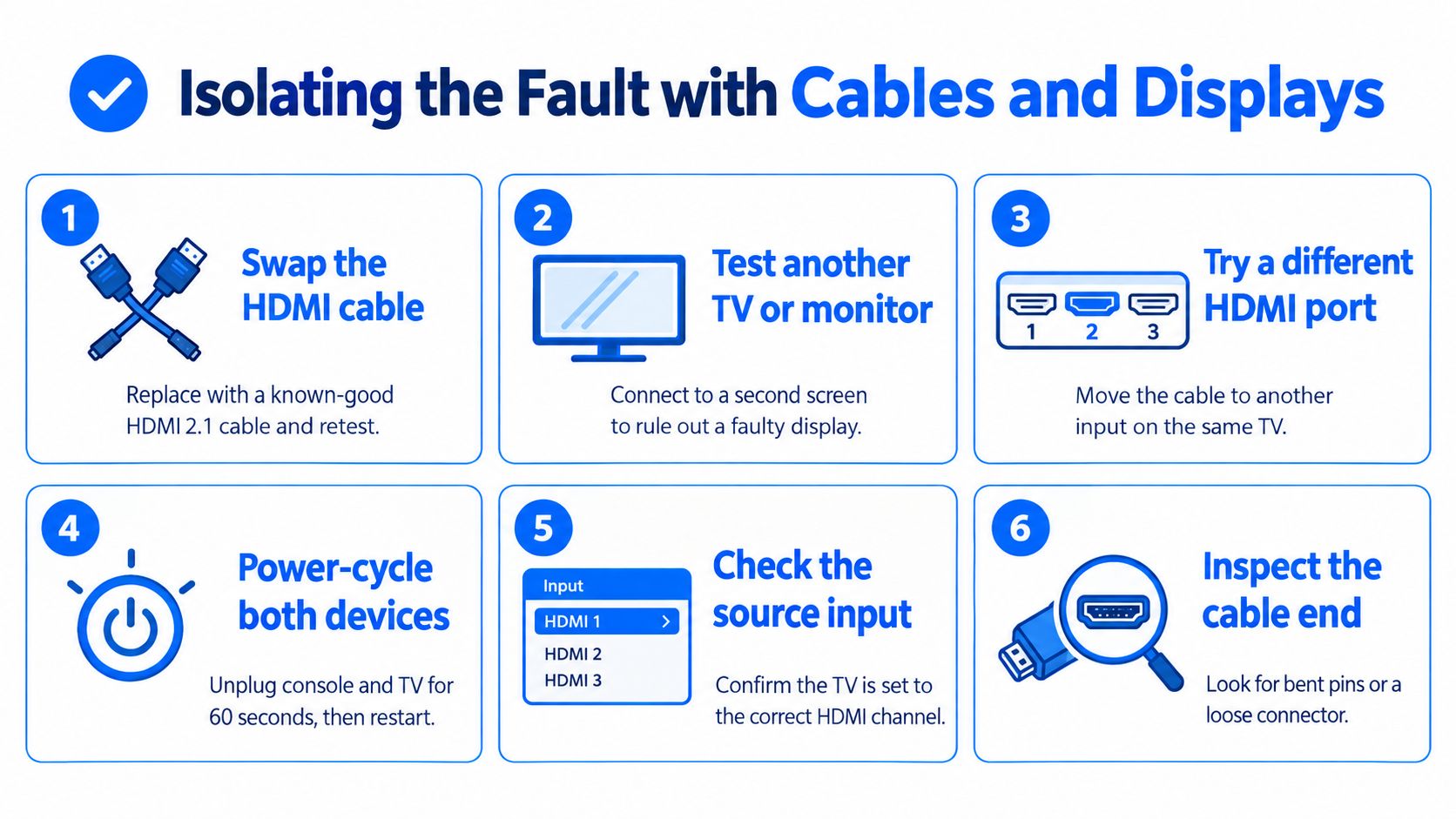
A television that shows the selected input but reports no signal does not confirm a dead Xbox. If the console responds to the controller, produces sound, or appears to boot, its main systems may still be running while the HDMI output has failed. Start with the external signal path, where a cable swap is simple and low risk.
Turn off the Xbox and television before removing the HDMI cable. Under a bright light, inspect both plugs for bent contacts, a crushed shell, a loose fit, or jacket damage near either end. Do not force a plug into a socket that feels tight or misaligned. Pressure can worsen a damaged connector or lift a board contact.
Use a known-good HDMI cable that already displays a picture from another device. A high-speed cable is a reasonable test, but its label does not prove that it works. If the replacement restores the image immediately, the console port may be sound and the original cable is the likely fault.
Follow the signal path
Change one variable at a time:
Try another HDMI input. A single television input can fail. Select the new input manually.
Test another screen. Connect the Xbox to a working television or monitor to separate a display fault from a console fault.
Confirm the source. Use the television's input menu instead of relying on automatic switching.
Power-cycle both devices. Shut down the Xbox and TV, unplug them briefly, then reconnect the display before starting the console.
Check for intermittent output. If the picture appears only when the cable is held at an angle, stop moving it. That behaviour points to an unstable physical connection.
A failed HDMI handshake can produce the same blank screen even when the socket is intact. The two devices may be unable to agree on an output mode. The Xbox troubleshooting guide for connection problems outlines checks for the console-to-TV path before hardware work is arranged.
If the Xbox stays blank with a proven cable and more than one working screen, the external causes have been narrowed down. A loose socket, lifted motherboard pad, damaged trace, or failed HDMI retimer requires board-level micro-soldering, not repeated cable or television changes. Physical movement is a useful warning sign, so stop testing and arrange inspection before the port damage spreads.
Forcing Display Handshakes and Soft Resets
A television can show a black screen when it rejects the Xbox's selected resolution or refresh rate. This often follows a move between screens or a disruptive system change. The console may be running normally while sending a video mode the current display cannot recognise.
Start with a complete power cycle. Hold the Xbox power button until it shuts down, unplug the console, and disconnect the television from power. Leave both disconnected briefly. Reconnect the television first, select the correct HDMI input, then start the Xbox. This clears temporary power and connection states without opening the console or affecting stored games.
Start the Xbox in low-resolution mode
On an Xbox One or Xbox Series console with a disc drive, switch the console off. Hold the Power and Eject buttons together until the second startup tone. The low-resolution boot forces a basic 640x480 video output, giving a compatible display a chance to show an image. On a Series S, hold the Power and Pair buttons together until the second tone because that model has no eject button.
If the low-resolution screen appears, the HDMI path is carrying a signal. Open the display settings and choose a resolution and refresh rate supported by the television, then restart normally. This result does not confirm that the socket is mechanically sound, but it points more strongly to a configuration or handshake fault than a completely open signal path.
Do not press random button combinations while the console starts. Use the low-resolution procedure for the correct Xbox model, and stop if the screen stays blank after testing with confirmed working equipment.
These resets have a limited purpose. They can clear a display-state problem, but they cannot reconnect a torn motherboard pad or restore contact where a socket pin is bent or separated. If the Xbox shows no image in low-resolution mode on multiple displays, after the cable has been ruled out, board inspection is the sensible next step.
Avoid opening the console without the right tools and experience. HDMI replacement involves more than soldering the four large mounting points. The fine signal contacts, ground connections, nearby components, and board layers must all remain intact. A simple handshake issue may need only a reset. Torn pads or damaged traces require professional micro-soldering.
Identifying Physical Port and Board Damage
A cable that works elsewhere does not rule out mechanical HDMI damage. Check the socket with the console powered off. A sound port grips the plug without obvious side-to-side movement. A connector that feels loose, sits unusually far inside the shell, or accepts the plug at an angle may have broken anchor points or separated from the motherboard. Look for bent internal contacts, cracked plastic, a distorted metal shield, or damage around the connector.
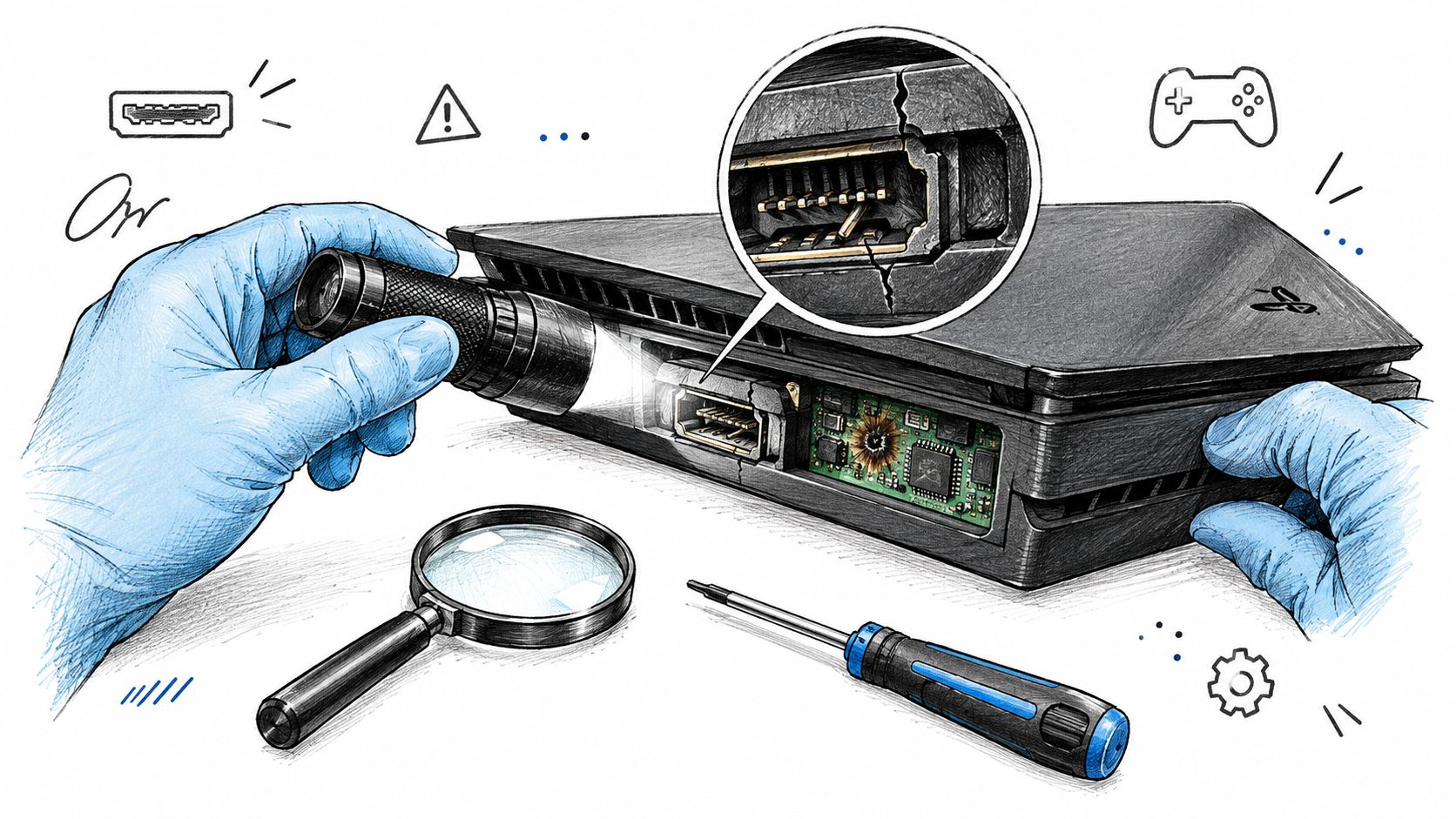
A quick visual check is not enough. Under magnification, the large mounting points can appear secure while fine signal pins have separated. Repeated cable strain may also lift copper pads from the board. Once a pad is detached, fitting a replacement socket alone will not restore the signal path.
The socket isn't the whole HDMI circuit
A repairer should examine the complete route from the connector into the board:
Port condition: Bent pins, fractured housing, loose anchors, or contamination.
Solder joints: Cracked connections that cause intermittent output when the plug moves.
Pads and traces: Lifted copper areas or broken routes between the socket and other components.
Protection and filtering parts: Small components affected by physical strain or electrical events.
HDMI retimer IC: A board-level component that processes and conditions the high-speed signal.
This distinction matters if an Xbox still shows no picture after a port replacement. The first impact may have damaged traces, pads, or another part of the HDMI circuit. A previous repair may also have secured a new socket without restoring every broken connection. UK repair guidance separates standard port replacement from board-level work involving lifted pads, damaged traces, retimers, and motherboard faults (Xbox HDMI port and board-level repair guidance).
Fault behaviour provides another clue. Output that cuts in or out when the cable moves points towards a connection fault, although it does not identify the failed component. A constant black screen can also result from board damage, so it should not be treated as proof of a bad socket. Continuity testing, microscope inspection, and checks around the HDMI circuit provide stronger evidence than appearance alone. Socket replacement is a controlled soldering job. Torn pads or damaged traces require motherboard micro-soldering, specialist equipment, and a different repair assessment.
Understanding UK Repair Costs and Turnaround
Once cable checks, display testing, and reset attempts have failed, the repair quote should match the physical fault. Standard HDMI connector replacement is usually less involved than motherboard work, while lifted pads, broken traces, or damaged signal components require microscope inspection and micro-soldering. Published UK listings place standard Xbox HDMI replacement at £50 to £80 for some models, with more involved board-level cases reaching £85 to £119, depending on the console and damage (UK Xbox HDMI repair pricing).
Model-specific listings include £69 for Xbox One, One S, and One X, and £85 for Series X and Series S (model-specific Xbox HDMI repair pricing). These figures are benchmarks, not universal tariffs. A proper quote should identify whether the fault is a connector, damaged board connection, or another HDMI circuit problem.
Console model | Standard port replacement | Complex trace or IC repair |
|---|---|---|
Xbox One models | £59–£79 | £85–£119 |
Xbox Series S | £69–£89 | £85–£119 |
Xbox Series X | £79–£99 | £85–£119 |
UK repair guidance places the overall £59 to £119 benchmark in this range and notes that trace work changes both diagnosis and repair (UK Xbox HDMI repair cost benchmark). A socket replacement can often be completed as a contained soldering job. Trace reconstruction or retimer work takes closer inspection, fine soldering, and post-repair testing, so the advertised port price may not cover it.
Compare the quote with the diagnosis
Ask the workshop whether it:
Tests the Xbox with a known-good cable and display.
Inspects the connector under magnification.
Checks for lifted pads and broken traces.
Explains whether a retimer or other board component needs attention.
Tests the console before returning it.
Uses a genuine or suitable replacement connector.
A low quote is useful only when it reflects the actual fault. A rushed socket swap can leave board damage unresolved and lead to another loss of video output. Broader information about repair services for contractors shows why specialist repair work depends on suitable tools and procedures, although an Xbox still requires a technician familiar with console HDMI circuits. Steel City IT's professional diagnostics process also reflects the value of diagnosing before replacing parts.
Turnaround depends on the fault, parts availability, and whether trace repair is required. A workshop that examines the motherboard first can provide a more reliable expectation than one offering a fixed socket replacement without inspection.
Choosing a Local Specialist for Micro-Soldering
A reliable repairer starts with the fault, not the soldering iron. They confirm whether the Xbox, HDMI cable, television, or display settings are responsible, then inspect the motherboard before selecting a repair. This prevents unnecessary heat and separates a display handshake problem from physical board damage.
For a mechanical fault, ask the workshop to explain connector replacement and trace repair in plain language. The technician should identify whether the socket is loose, whether motherboard pads have lifted, and whether the HDMI retimer area needs further checks. If the port looks intact but the Xbox still produces no output, micro-soldering repair is more suitable than another cable swap.
What good workmanship looks like
A suitable specialist should provide:
Magnification and inspection equipment, to assess fine pins, pads, and connector damage accurately.
Controlled soldering equipment, for removing and fitting a surface-mounted HDMI connector without overheating nearby components.
Continuity and board diagnostics, to locate broken traces instead of hiding them beneath a new socket.
A test process, using a verified cable and display after the repair.
Clear communication, including what the initial quote covers and how hidden damage changes the price.
Ask whether the quoted work covers only a socket replacement or also lifted pads, broken traces, and related board faults. A contained connector repair can be very different from trace reconstruction or retimer work, which requires closer inspection and more detailed testing. A low price is useful only when it matches the diagnosed fault.
Mail-in repair may suit someone without a local option, but a face-to-face appointment makes it easier to demonstrate a loose socket, explain when the failure began, and discuss findings before work starts. DIY soldering is rarely a sensible first attempt on an Xbox motherboard. Removing a damaged port without lifting pads requires more control than a basic soldering iron provides.
Steel City IT is a Sheffield workshop offering console diagnostics and board-level repair for Xbox HDMI faults, including port and related motherboard issues. If the console powers on but remains blank after cable, display, and low-resolution testing, visit Steel City IT to arrange a diagnosis. Include the Xbox model and whether the socket feels loose or the picture appears intermittently. Those details help the technician assess the likely repair path.