
How Much Does Data Recovery Cost in the UK

Logical data recovery commonly costs about £150–£350 plus VAT in the UK, while bad sectors or firmware faults typically sit at £250–£450 plus VAT. Fault type matters more than capacity, so a single average price is a poor way to budget.
The popular advice to compare recovery prices by drive size misses the expensive part: getting a damaged device to surrender readable data safely. Recovering deleted documents from responsive storage is a different job from handling a disk with damaged heads, even if both contain the same files.
For Sheffield home users and small businesses, the useful question isn't “How much does data recovery cost?” It's “What has failed, what work will that require, and what's included in the quote?”
Table of Contents
How Much Data Recovery Costs by Fault - UK data recovery prices by fault - What you're actually buying
Logical Firmware and Mechanical Failures - When the drawers still open - When access itself has failed
Drive Type and Damage Severity - How media and damage change the job - The device around the storage matters too
Everyday Recovery Jobs and Likely Bills - Deleted photographs on a working laptop - An external drive formatted by mistake - A desktop drive that clicks - An SSD that disappears after a drop
When the Fee Beats Losing the Data - Personal value and business interruption - Check the backup before buying recovery
Questions That Turn a Price into a Real Total - Establish the bill before authorising it - Protect the files as well as the budget
How Much Data Recovery Costs by Fault
Start with prices excluding VAT, rather than assuming the advertised figure is your final bill. Data Doctor's published pricing gives planning ranges of approximately £150–£350 plus VAT for logical recovery and £250–£450 plus VAT for bad sectors or firmware problems.
Those bands describe different recovery tasks, not different amounts of customer data. A logical job involves finding and reconstructing files on accessible storage. A drive with read errors may need controlled imaging, careful handling of unreadable areas and specialist intervention before file recovery can begin.
UK data recovery prices by fault
Fault | Typical access | Planning price | What the fee usually covers |
|---|---|---|---|
Accidental deletion, format or corrupt partition | Drive still detected | £150–£350 plus VAT | Logical recovery while the media stays readable |
Bad sectors or firmware trouble | Unstable or not mounting cleanly | £250–£450 plus VAT | Controlled imaging, error handling, sometimes firmware work |
Published UK hard-drive ladder | Priced by fault category | £195, £295 or £395 plus VAT | Three fault bands, not a price per terabyte |
SSD needing specialist work | Controller or NAND problem | Diagnosis plus a success-based charge | Separate assessment from a straightforward hard-drive logical job |
Clicking, no spin or liquid-damaged media | Specialist handling required | Written quote after diagnosis | Assessment and a proposed recovery approach, with further work authorised separately |
The published hard-drive ladder is another provider's fault-based pricing structure, not an additional charge to add to the planning ranges. Likewise, the SSD row isn't a promise that every SSD case uses the same charging arrangement.
Mechanical damage needs its own assessment. Don't assume a clicking drive belongs in the bad-sector price band because both devices struggle to read files. The symptoms can overlap while the work differs substantially.
What you're actually buying
A recovery fee should purchase an agreed attempt to retrieve specified data, with a clear definition of success. That might mean rescuing your accounts folder and customer database, rather than returning every temporary file Windows has ever created.
Before authorising work, identify:
Priority files: Name the folders, file types or applications you need.
Destination storage: Establish whether copying recovered files to another drive is included.
Additional charges: Clarify VAT, shipping and any unsuccessful-attempt fee.
Acceptance criteria: Agree what happens if only some required files are recoverable.
Practical rule: Spend on identifying the fault before spending on repeated attempts to make the drive start.
Repeatedly powering a clicking or unstable hard drive can worsen head-surface damage and reduce the opportunity to make a complete sector-level image. A computer recognising the drive briefly isn't evidence that another attempt is safe.
Our diagnostic assessment establishes the work needed before we give a clear price quote. That separates an informed recovery decision from paying for a hopeful scan.
Logical Firmware and Mechanical Failures
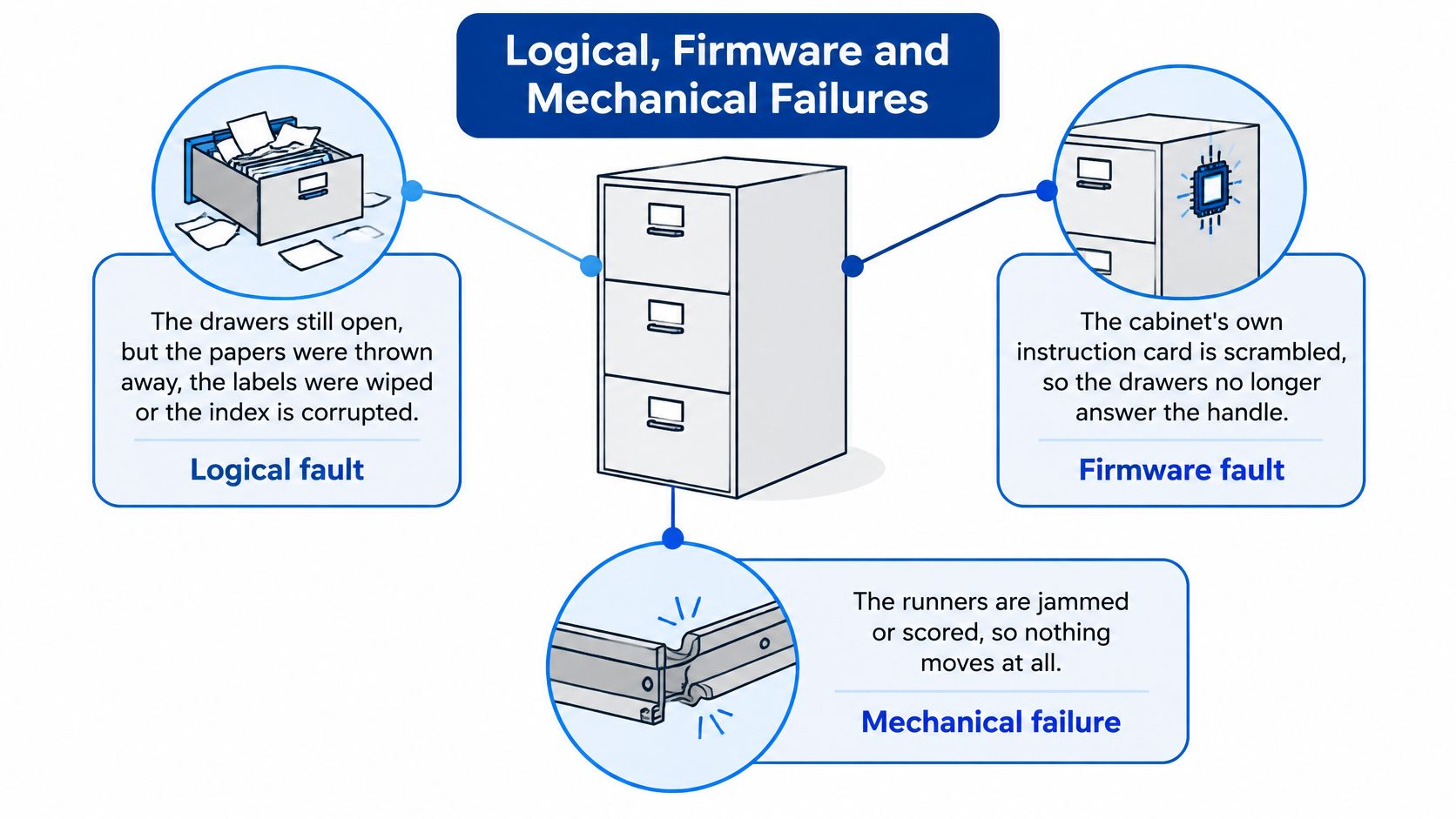
Think of your storage as a filing cabinet. If the drawers open but someone has discarded the labels, the papers may still be inside. If the cabinet's instruction mechanism stops responding, you can't reach those papers normally; if the runners are damaged, pulling harder can make matters worse.
Those situations roughly correspond to logical, firmware or electronic, and mechanical failures. The analogy explains why recovery software helps with some problems but can't solve every inaccessible drive.
When the drawers still open
With a logical fault, the hardware responds, but the information used to locate files has changed or become damaged. Accidental deletion, a quick format and a corrupt partition can fall into this family.
Deleting a file doesn't necessarily erase its contents immediately. The operating system may mark its space as available, which means later writes can replace what you're trying to recover.
Software can sometimes reconstruct the missing references or identify file contents directly. It can't restore original contents that have been overwritten, and a filename appearing in scan results doesn't prove that the file will open correctly.
When access itself has failed
A firmware fault affects the drive's internal instructions and management information. A drive might power up but report an incorrect capacity, disappear during access or fail to become ready.
An electronic fault can produce similar outward symptoms. Neither should be diagnosed solely from a Windows error message, because a cable, power supply or computer connection can also prevent access.
With a mechanical failure, moving components are involved. Clicking, grinding and repeated spin-up attempts are warning signs, although silence or no spin can also have an electrical cause. Our guide to a laptop making a clicking noise helps distinguish storage concerns from other laptop noises.
A symptom tells you what to preserve and what to avoid. It doesn't, by itself, identify the failed component.
For unstable media, the controlled approach is to obtain a sector-level image where practical, then analyse that copy. This reduces repeated reads of the original and lets the technician prioritise accessible areas rather than continually retrying one damaged spot.
Severity matters within each family. A responsive disk with isolated read errors needs a different strategy from one that disconnects whenever it reaches damaged areas. Match the symptom to a likely failure family, but leave the final diagnosis to an assessment.
Drive Type and Damage Severity
A large drive with a simple logical fault can cost less to recover than a smaller drive with failed heads. Capacity affects how much storage must be handled, but it doesn't tell you whether specialist access work will be necessary.
Data Clinic's recovery-cost guide publishes hard-drive fault categories at £195, £295 or £395 plus VAT, while SSD work may involve a separate diagnosis and a success-based recovery charge. These are provider-specific examples of fault-based pricing, not a universal tariff or our workshop's price list.
How media and damage change the job
Media | Usual failure | What raises complexity | Tell the workshop |
|---|---|---|---|
Internal hard drive | Deletion, bad sectors or failed heads | Clicking, no spin or prior DIY recovery attempts | Whether it's still detected and any unusual noises |
SSD | Controller, firmware or NAND problems | Not detected, intermittent access or impact damage | Model, capacity and whether it was the boot drive |
External USB drive | Enclosure bridge or the drive inside | Access changes when the enclosure is tested | Whether it failed after a cable change, knock or format |
RAID or multi-bay box | A member disk or array-level problem | Missing disks or an attempted rebuild | Bay count, drive order and RAID type if known |
Laptop after liquid or impact | Storage plus possible board damage | Corrosion, no power or combined faults | What was spilled, when, and whether it was powered afterwards |
A spinning hard drive stores information on platters and uses moving heads to read it. Deleted files on otherwise healthy media don't create the same labour as a damaged head assembly requiring specialist handling.
An SSD has no moving heads, but that doesn't make recovery straightforward. The controller, firmware and NAND flash work together to present usable storage, and a failure in that chain can prevent ordinary software from accessing anything. Our SSD data recovery guide explains why replacing the device and retrieving its contents are separate decisions.
The device around the storage matters too
An external drive includes a USB interface and enclosure, so a failed connection doesn't automatically mean the disk inside has failed. A workshop should distinguish an interface repair from data recovery, rather than treating every inaccessible USB device as a laboratory case.
Don't dismantle the enclosure to test that theory. Some models rely on their original interface for encryption or translation, and damaged connectors can complicate an otherwise manageable fault.
RAID and NAS recovery also require context. Disk order, array configuration and previous rebuild attempts affect reconstruction; a quotation should address the array, not merely price each disk independently.
With a liquid-damaged laptop, repairing the computer and rescuing its files remain separate jobs. We tell customers when repair would cost more than the device is worth, but that doesn't determine the value of the information inside it.
Everyday Recovery Jobs and Likely Bills
The most useful way to apply a price band is to follow the symptom, the stop rule and the likely recovery route. These hypothetical cases show why similar-looking requests can produce different quotes.
The goal is a usable copy of the files, not merely a device that appears in Windows again.

Deleted photographs on a working laptop
Say you delete a folder of family photographs from a laptop that otherwise works normally. Stop using that storage, including browsing, installing recovery applications or downloading replacement copies onto it.
This is a candidate for the logical-recovery route if the drive is healthy. Consumer recovery software can be reasonable when the files aren't irreplaceable and you understand how to avoid writing to the source, but installing it on the affected boot drive undermines that precaution.
A fair result means photographs copied elsewhere and checked for readability. Thumbnail previews alone aren't enough.
An external drive formatted by mistake
You select the wrong USB drive during formatting, notice immediately and unplug it. The likely path is assessment for logical recovery, provided the device itself remains healthy.
The stop rule is simple: don't put anything new on it. If a new backup occupies the sectors that held an old document, recovery software can't reconstruct that overwritten document merely by finding its former name.
Ask for the recovered folder structure where possible, while recognising that some methods retrieve file contents without original filenames.
A desktop drive that clicks
A desktop fails to boot, and its hard drive clicks during each attempt. Stop powering it and don't run a long surface scan to confirm what the noise already makes concerning.
This requires diagnosis before a reliable fixed recovery price. If mechanical intervention is necessary, the fair outcome is the recoverable data delivered on separate storage, not the original disk returned as dependable everyday hardware.
An SSD that disappears after a drop
A laptop falls, then its SSD no longer appears in the firmware settings. Stop power cycling and avoid household recovery tools that can't access the device.
The fault could involve the storage, its connection or the laptop board. Budget for assessment and a case-specific recovery decision rather than assuming this is a basic undelete job.
Two details can change any of these scenarios:
Encrypted storage: A BitLocker or FileVault volume normally still requires the appropriate password, recovery key or other valid method of access. Physical access doesn't cancel encryption.
Home NAS storage: Preserve the disks together, label their bay positions and don't start a rebuild merely because the management screen offers one.
When the Fee Beats Losing the Data
A recovery invoice measures the service charge. It doesn't measure the value of missed orders, inaccessible accounts or a photo library that exists nowhere else.
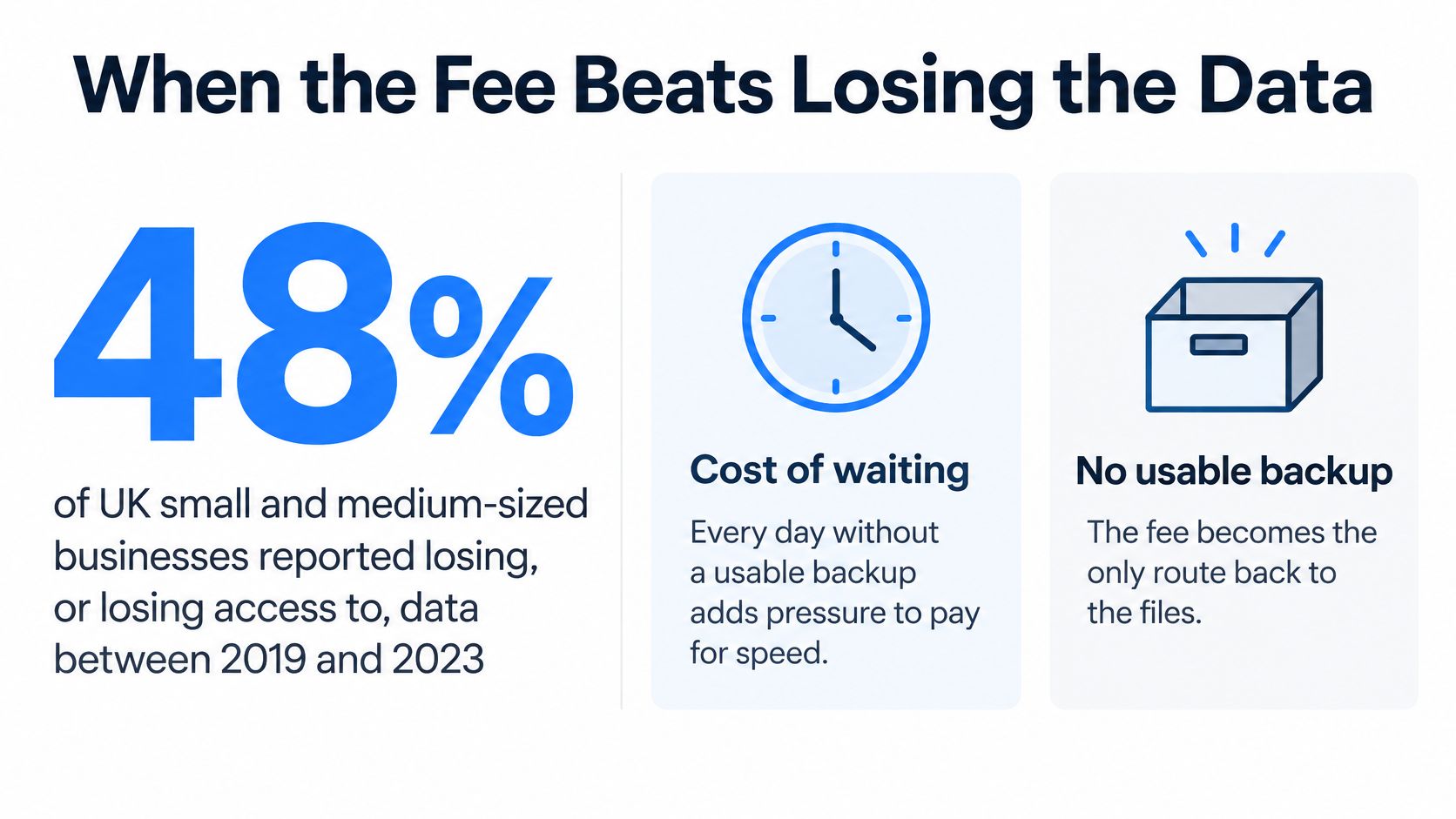
In research covering 2019–2023, 48% of UK small and medium-sized businesses reported losing, or losing access to, company or customer data during the preceding five years, according to the Kent Invicta Chamber article reporting Beaming's findings. The reported incidents generated more than £5.3 billion in total costs, including recovery, replacement costs, financial penalties and lost productivity.
The distinction between the recovery bill and the wider consequences matters when deciding what to authorise.
Personal value and business interruption
A family archive may have no trading value but still be irreplaceable. Your decision depends on whether those particular files justify the quoted cost, not whether the old laptop is worth repairing.
For a Sheffield business, missing customer records or job specifications can stop work. Compare the recovery quote with the effort required to recreate those records, the work you can't complete meanwhile and the consequences of an incomplete reconstruction.
Don't turn national incident-cost figures into an expected bill for your drive. They describe wider losses across businesses, not the price of a technician's recovery attempt.
Check the backup before buying recovery
The UK Government's Cyber Security Breaches Survey 2025/2026 reports that secure cloud backup adoption among businesses rose from 71% to 74%, while 25% had a formal incident-response plan. Having a backup and knowing how to restore business operations are different things.
Use this triage order:
Preserve the original: Stop unnecessary access and keep a record of what happened.
Locate the backup: Check cloud version history, disconnected drives and managed backup systems.
Validate a restoration: Restore to separate storage and open representative files, including recent work.
Price the remaining gap: Identify what's missing before authorising recovery.
A backup is the cheaper path when it contains the files you need and you can restore them successfully.
For the business-continuity side of that decision, consider recovery procedures alongside storage arrangements.
If a verified backup covers everything important, replacement hardware and restoration may be enough. If the only copy sits on failing media, professional recovery can be rational even when the device itself has little resale value.
Questions That Turn a Price into a Real Total
A useful quote states what you authorise, what counts as success and what you could still owe if recovery fails. A low starting price isn't necessarily the lowest final cost.
At Steel City IT, we specialise in recovering data from damaged or corrupted hard drives. After a diagnostic assessment, we give a clear and fair price quote before starting the recovery work.
Use these questions to make the scope and charging terms explicit.
Establish the bill before authorising it
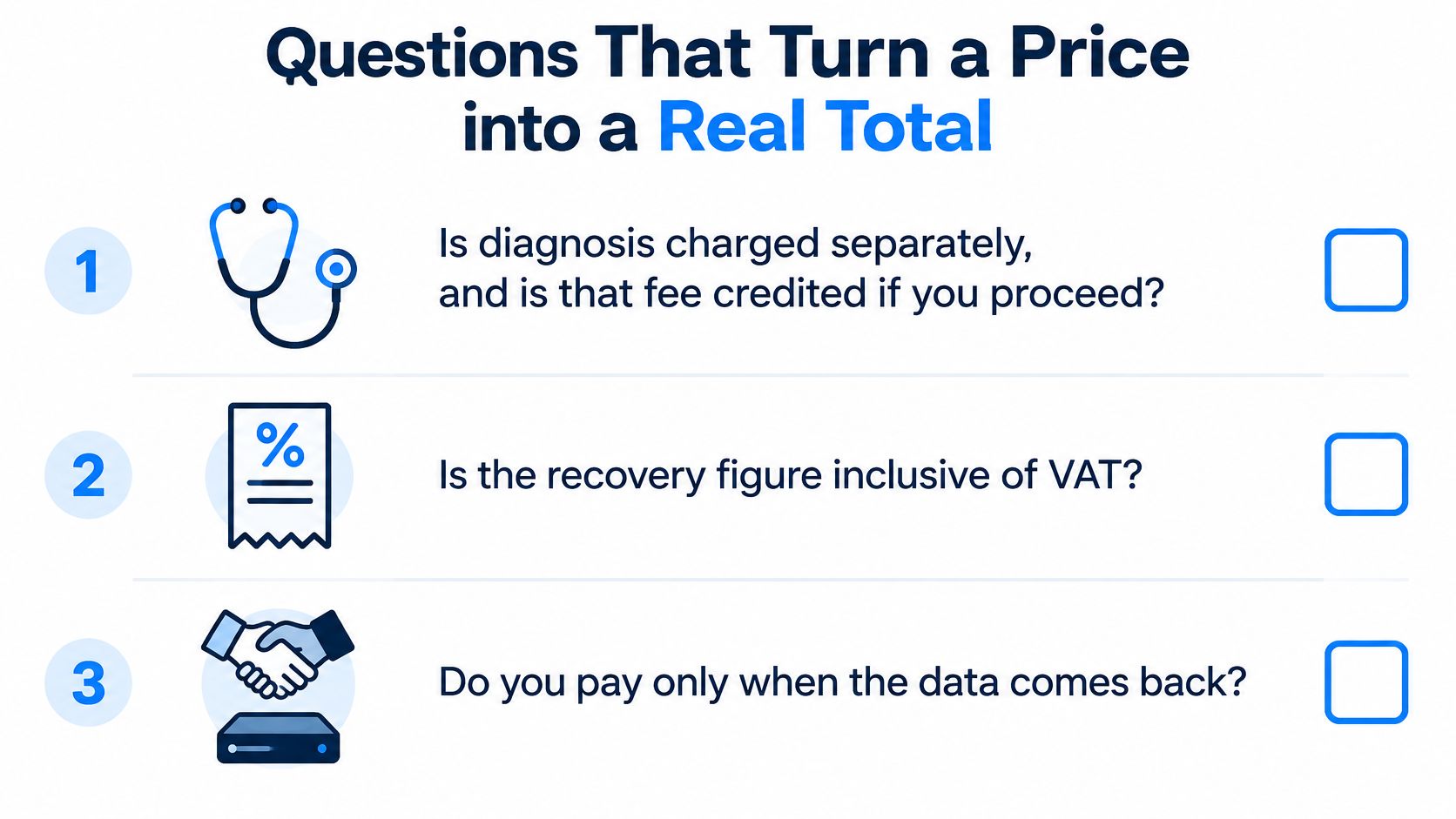
Is diagnosis charged separately? Establish whether there's an assessment fee, whether it's credited against recovery and what you owe if you decline the quote. Don't assume that assessment and recovery are one service.
Is VAT included? Compare complete payable totals. An excluding-VAT headline shouldn't be compared directly with another provider's inclusive figure.
What counts as successful recovery? Specify the files you need and establish whether partial recovery triggers the full charge. A success-only arrangement needs a definition of success, not just an encouraging label.
Is destination storage included? Clarify whether the quotation includes suitable media or whether you supply it. The storage must have room for the agreed recovered data.
Are collection, shipping and return delivery extra? Check the cost of getting both the original device and recovered copy back, particularly if specialist handling takes place elsewhere.
What is the estimated turnaround after diagnosis? Separate an assessment estimate from the time required for recovery. We provide an estimated timeline at drop-off and keep customers updated by phone or email.
Protect the files as well as the budget
Will recovery use an image where practical? Our data-recovery work includes sector-level analysis and controlled handling. The appropriate method should follow the fault, rather than an automatic live scan of every device.
How will the information remain confidential? We follow strict protocols to keep customer data safe and confidential during repairs. If you later request a complete wipe, confirm that your recovered copy is verified first; wiping the source isn't a recovery step.
Are device repair and file recovery quoted separately? We tell you if repairing the machine would cost more than it's worth. You can then judge the file-recovery decision independently instead of funding an uneconomic repair to reach your documents.
Our explanation of how data recovery services work gives more context for the assessment and recovery process.
Before bringing the device in, note the symptom, storage type, any drops or spills and whether a backup exists. Don't run another free scan just to arrive with a longer error report.
Authorise the file-recovery job only after you understand the written quote, including its exclusions and unsuccessful-attempt terms. Proceed when the missing files justify that total and a trusted backup can't already provide them.
Steel City IT offers data recovery from damaged and corrupted drives, with a diagnostic assessment and a clear quote before recovery work begins. Visit Steel City IT to discuss your device's symptoms, the files you need and whether recovery is a sensible alternative to restoring a backup.